Expand the draggable area for the window on Mac
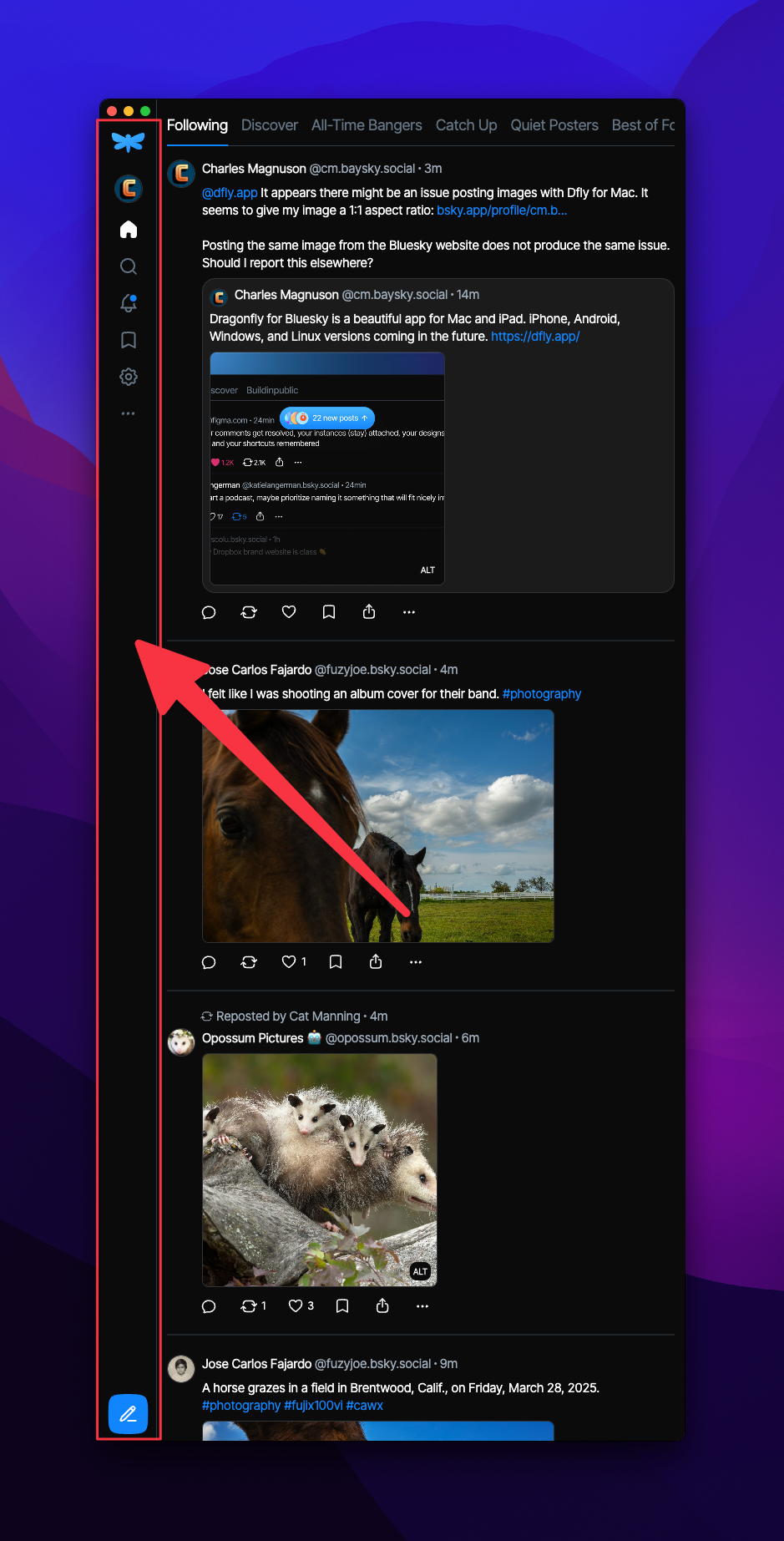
With Dragonfly putting the timeline titles so close to the very top of the application window, clicking and dragging to reposition the window very awkward. It's not difficult to accidentally switch timelines when trying to move the window to a new location on the screen.
Instead of clicking and dragging on the very top of the Dragonfly window, I am frequently clicking and dragging on the left-hand sidebar to try to reposition the window. Unfortunately, that does not work, and it sure feels like it should.
Log in to comment and vote
Comments4
Apr 9, 2025
PinnedWe dug into the issue and found a solution, it’s now possible to move the window by grabbing the sidebar! This improvement is available in version 1.3.0, so be sure to update. Thanks for bringing it up!
cmagnuson
Mar 30, 2025
Darn, was hoping that wasn’t a system limitation.
I guess the root of my feedback is that with the timeline titles displayed so close to the very top of the window, there is not much space available to click on to move the window around. When I click and drag, I often miss the draggable area but instead accidentally click on a timeline title that does not allow me to move the window. I then have to attempt to drag the window a second time.
I've noticed that the switching of timelines when I try to drag the window is a little bit difficult to reproduce when dragging the window a considerable distance. If I'm only trying to drag the window maybe 10-100 pixels, clicking and accidentally switching timelines is a lot easier to reproduce.
In the end, I think the title of my feedback submission should instead be that I would appreciate a larger, more easily selectable, draggable area for the window on Mac.
The large timeline titles so close to the top of the window are a hindrance when it comes to repositioning the window.
Dragonfly
Apr 1, 2025
Thank you for the screen recording! We’ll further investigate into the issue and let you know when we find a solution!
I have something in mind that could fix the issue :)
Dragonfly
Mar 30, 2025
Thank you for your feedback! Unfortunately dragging the sidebar to move the window isn’t a standard macOS behavior, which is why it doesn’t work that way.
We haven’t been able to reproduce the issue where switching timelines happens accidentally while trying to move the window. If you have a moment, could you upload a screen recording? That would really help us understand what’s happening!